OAuth 2.0 Playground - Use Bearer Token
This section in the OAuth 2.0 Playground allows developers to test API requests that require bearer token authentication. Bearer tokens, typically access tokens obtained through an OAuth flow, grant access to protected resources on behalf of the user.
Refer to this document for more information about this section
¶ Request Parameters
| Parameter | Description |
|---|---|
Authorization Header |
In the token field, paste the access token obtained from the previous authorization flow. This token will be used to authenticate the request. |
¶ Step-by-step
-
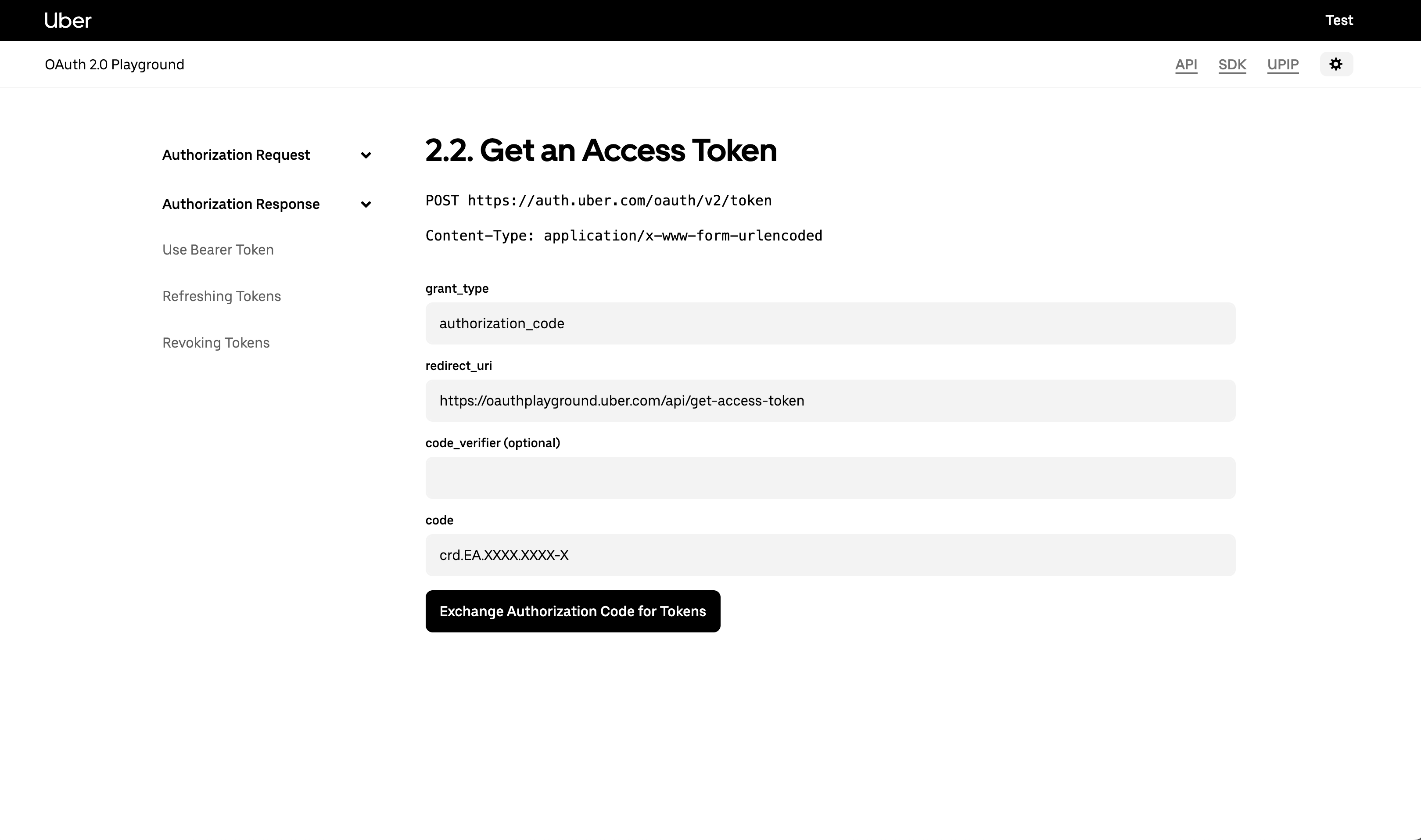
At first you need to have generated an access token using the /token endpoint
-
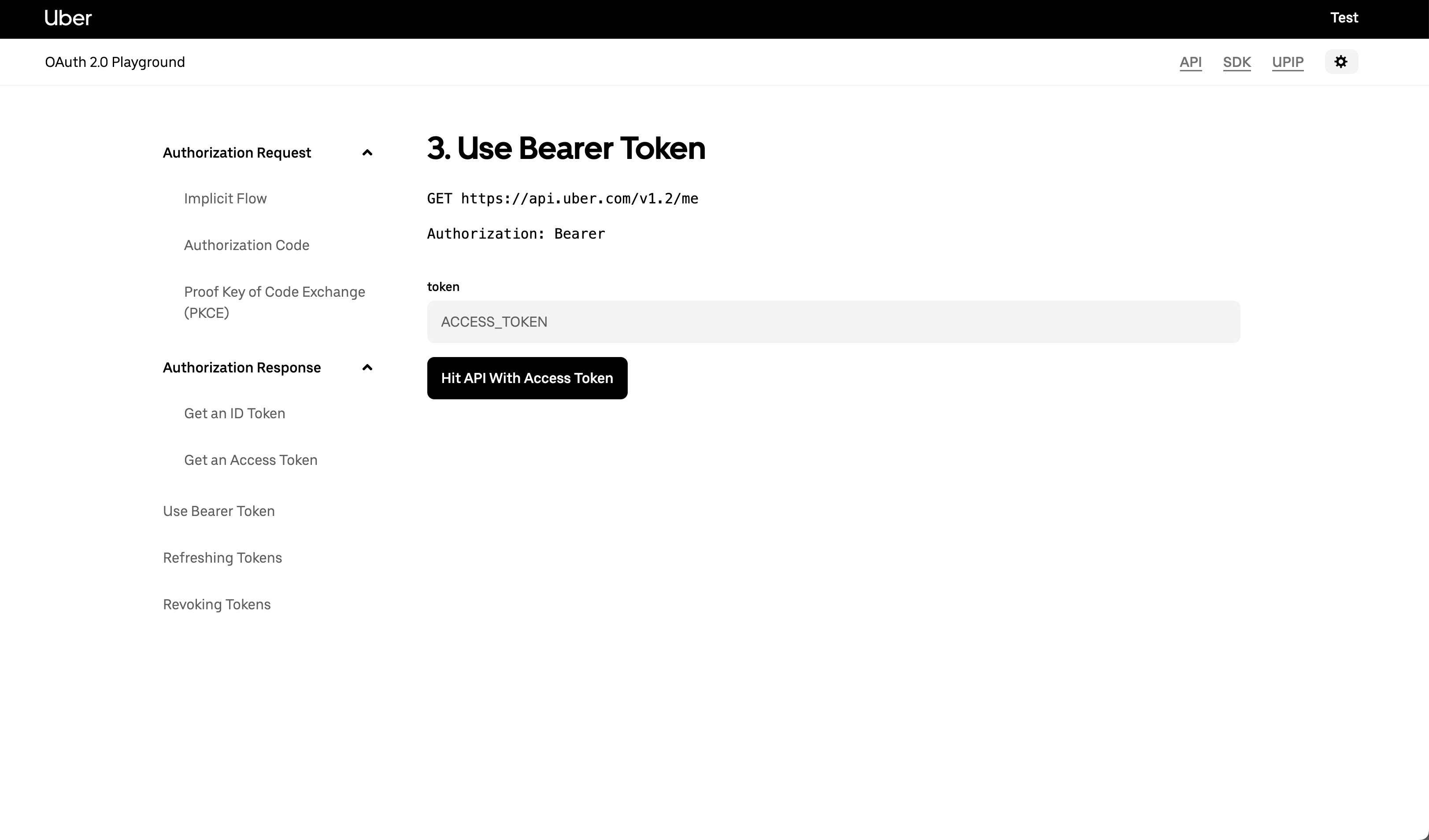
Once you have the access token in hands, paste it in the token input field and hit Hit API With Access Token button
-
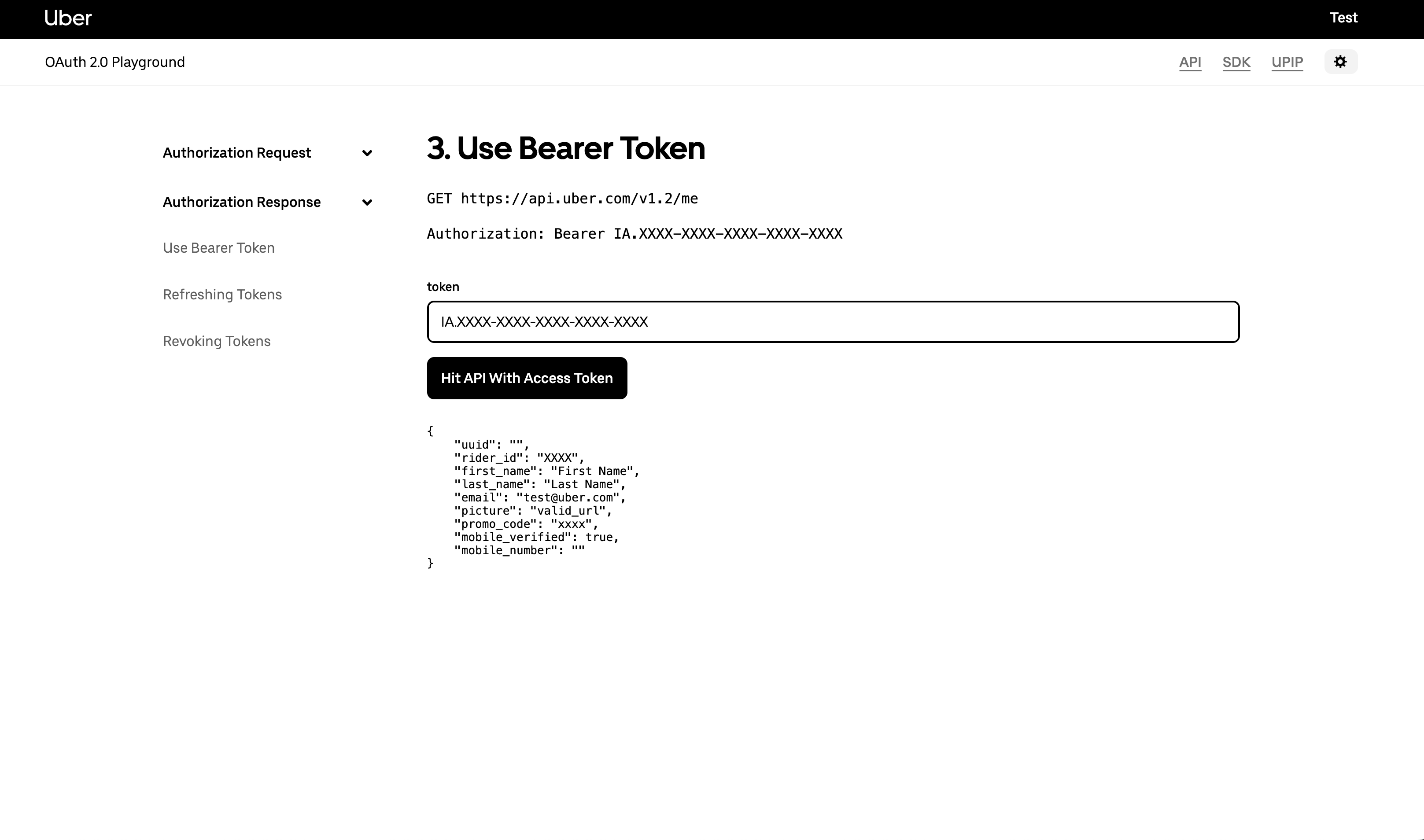
After you send the required access token, it’s going to retrieve the following information:
{
    "uuid": "",
    "rider_id": "rider_id",
    "first_name": "Test",
    "last_name": "Test",
    "email": "test@uber.com",
    "picture": "",
    "promo_code": "",
    "mobile_verified": true,
    "mobile_number": ""
}