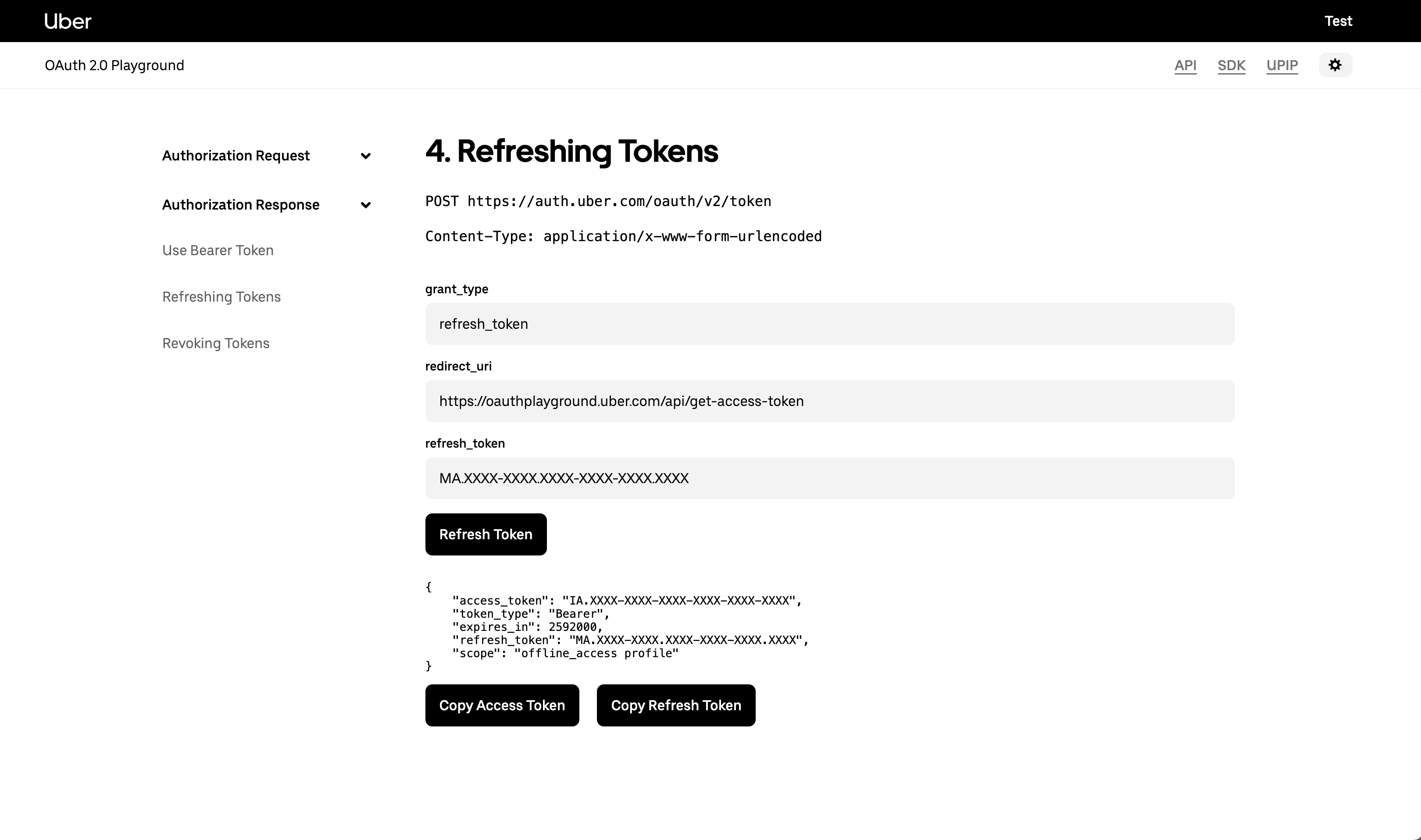
OAuth 2.0 Playground - Refresh Token
This section in the OAuth 2.0 Playground allows developers to test the token refresh process. Refresh tokens are used to obtain new access tokens without requiring the user to reauthenticate, making it a key part of maintaining session continuity in OAuth 2.0.
:::alert info Important: Refresh tokens may become invalid at any time. Your application should be designed to handle cases where the refresh token no longer works. This can happen when:
- The user revokes access to your application
- The user updates their password or account security settings
- An automated process designed to protect users invalidates the token
- Uber revokes the token due to policy enforcement
When a refresh token fails, redirect the user to re-authenticate through the OAuth flow. :::
Refer to this document for more information about this section
¶ Request Parameters
| Parameter | Description |
|---|---|
grant_type |
Set to refresh_token, indicating that this request is for a token refresh. |
redirect_uri |
The URI used during the original authorization. It should match the URI initially registered for the application. |
refresh_token |
Enter the refresh token obtained from a previous authorization flow. This token will be used to request a new access token. |
¶ Step-by-step
-
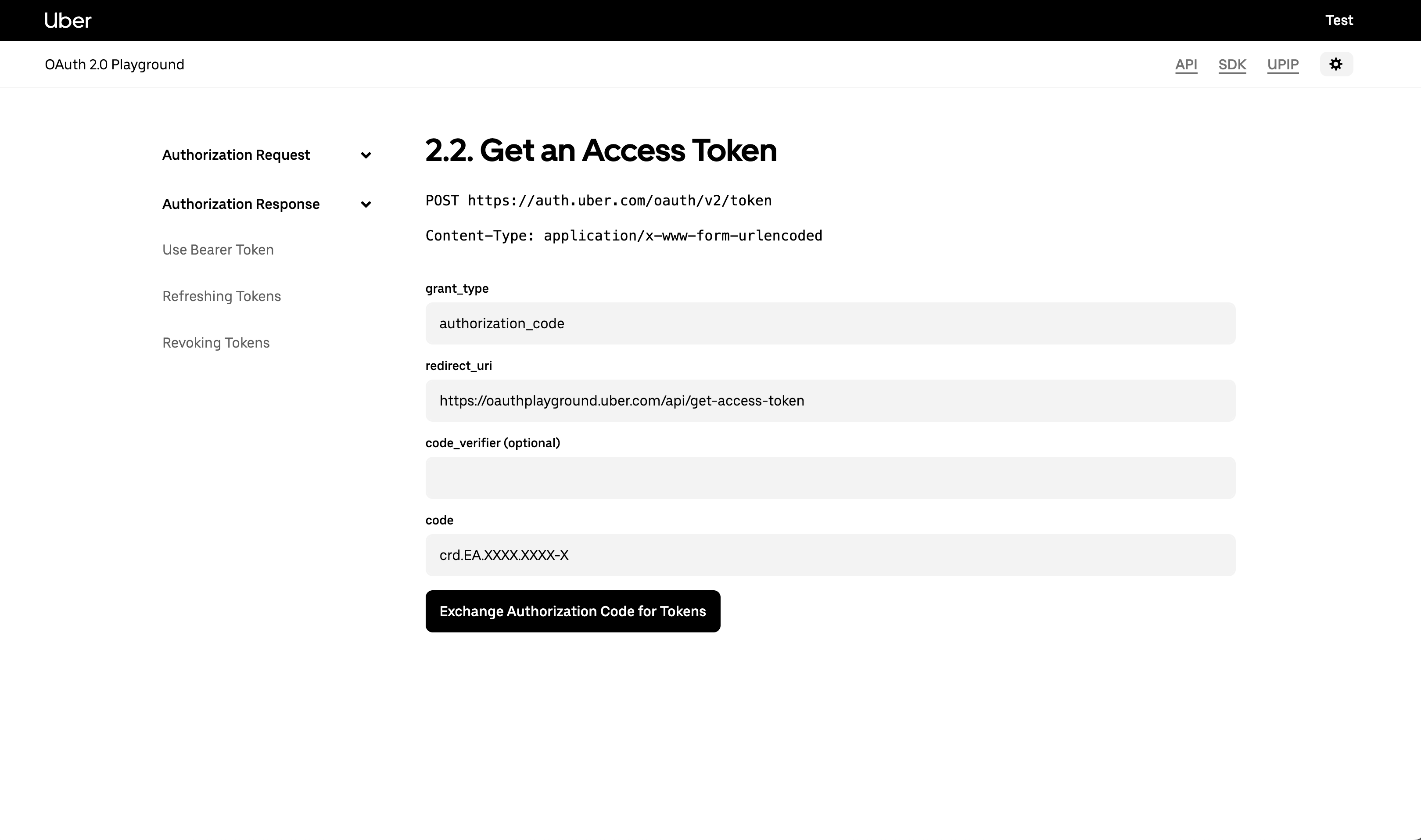
At first you need to have generated an access token and a refresh token using the /token endpoint
-
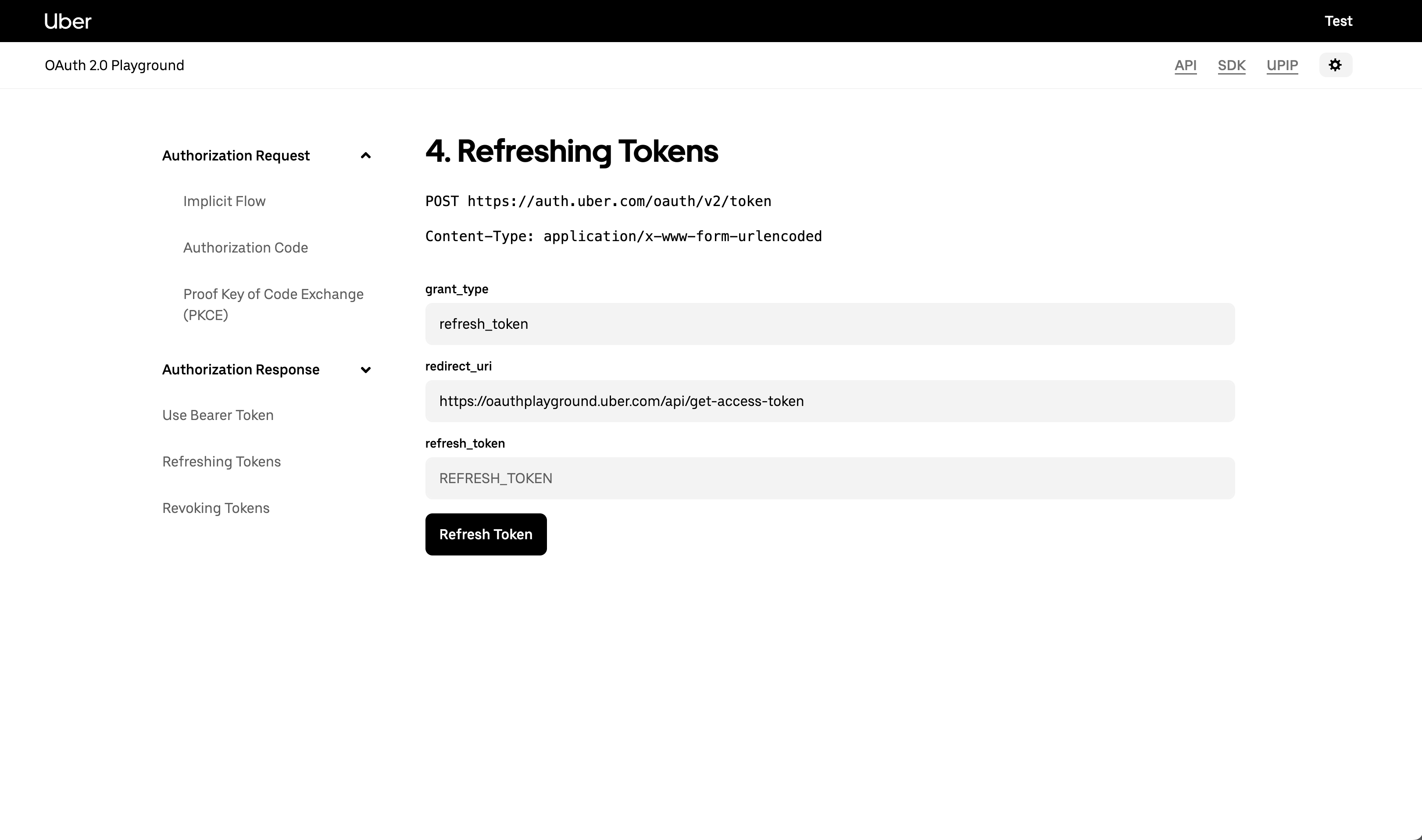
Once you have the access token and the refresh token in hands, paste the refresh token in the refresh_token input field and hit the Refresh Token button
-
After you send the required refresh token, it’s going to retrieve the following information if we were able to refresh the token:
{
    "access_token": "IA.XXXX",
    "token_type": "Bearer",
    "expires_in": 2592000,
    "refresh_token": "MA.XXXX",
    "scope": "offline_access profile"
}